 Skip to content
Panoramic Photo Stitching Extension
“Bringing ideas to life is the challenge creators face on almost every project. At Software Folder not only do we inspire creators with tips and creative resource. We inspire by example…”
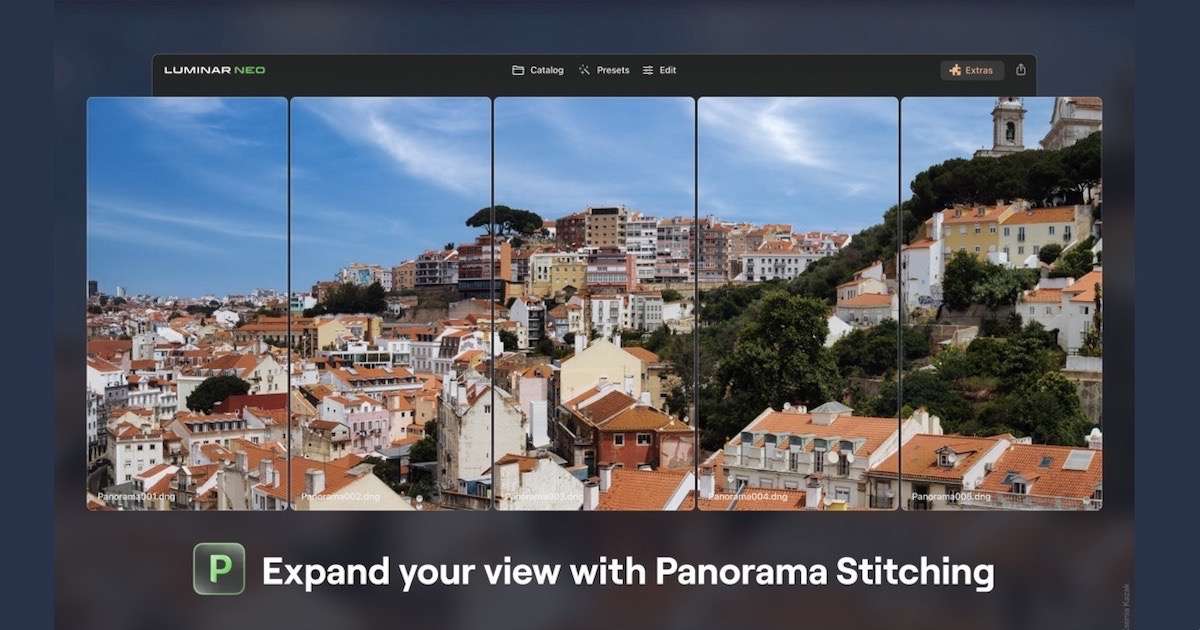

Table of Contents
Update: Luminar Neo Released
LUMINAR NEO – JULY 2023
The Panorama Stitching Extension allows photographers to create sweeping panoramic photos with unparalleled versatility by introducing four distinct creation methods:
Now, just to give this extension a try, I retrieved 3 landscape photos previously taken with exactly this type of treatment in mind. So here we go…
Luminar Neo: Photo Panorama Stitching.
My Experience with the Panorama Stitching Extension
Wow, this extension really saved me time compared to how long it would have taken using conventional editing methods. Fortunately, I already had three photos lined up from a previous photoshoot, so trying this out was easy.
After installing the Panorama Extension, it was a simple case of dragging my three “stitch-able” images onto the Panorama icon and selecting Start.
From your Luminar Neo catalog view, you select 2 or more photos (or 1 video) to stitch. A new window opens allowing you the choice to continue. Now, this is where I had a slight surprise. Just selecting Continue also applies an HDR merge by default, which in my case resulted in a poor attempt to balance exposures that weren’t actually bracketed.
Anyway, my point is, that in this particular case, by first selecting Skip HDR and then Continue, I ended with this perfect result. I was then able to apply the HDR Merge Extension separately afterward to give the overall image a subtle “lift,” giving me much more control over the final look.


Panorama Stitching Made Easy
Create breathtaking panoramic photos effortlessly by stitching together your RAW or JPEG files. This technique seamlessly merges multiple images to capture the awe-inspiring beauty of expansive landscapes and cityscapes .
Click Start when you are ready and a dialogue box will appear. In this case, we select the Skip HDR option and press continue to avoid unwanted tone-mapping.

Capture Perfect Lighting with HDR Panorama
Don’t let challenging lighting conditions hinder your panoramic photography. With HDR Panorama, you can overcome this obstacle. By combining multiple exposures and panorama brackets, you’ll create an HDR panorama that preserves all the intricate details, from the brightest highlights to the darkest shadows, resulting in stunning, well-balanced images of vast landscapes . This is particularly useful when your scene contains a bright sky and a dark foreground.
Transform Videos into Immersive Panoramas
Yes, videos too. Unleash the power of motion in your videos to create immersive panoramas. With the Panorama Stitching extension, you can extract frames from your videos and stitch them together seamlessly to form panoramic images . Watch as action sequences come alive in an entirely new way, transforming your videos into breathtaking, wide-spanning photographs.
Highlight Your Subject with Object/Subject Composition Panorama
Take your creative vision to new heights by selecting specific subjects within a video and converting them into captivating panoramic images . The Panorama Stitching Extension intelligently isolates and combines frames centered around your chosen subject, resulting in visually striking panoramas that emphasize and highlight your subject in fascinating ways. This innovative technique allows you to convey motion from a video in a single frame, creating unique and captivating images that show a subject moving through a scene while the background remains static.
Fine-Tuning Your Masterpiece
Once the stitching is complete, Luminar Neo offers a range of projection modes to perfect your image, including Spherical, Cylindrical, Mercator, Plane, and Fisheye. You can also correct distortion, reduce ghosting, and crop the image to achieve the perfect composition .
ACCESS PANORAMA STITCHING EXTENSION
Released on July 20, 2023, the Panorama Stitching Extension is available to Luminar Neo subscribers (Pro and Ultimate plans) or as a separate purchase for Lifetime license owners .
World Class Image Editing Next Generation Optics?
You’re about to experience photo-editing at its best: Read on